
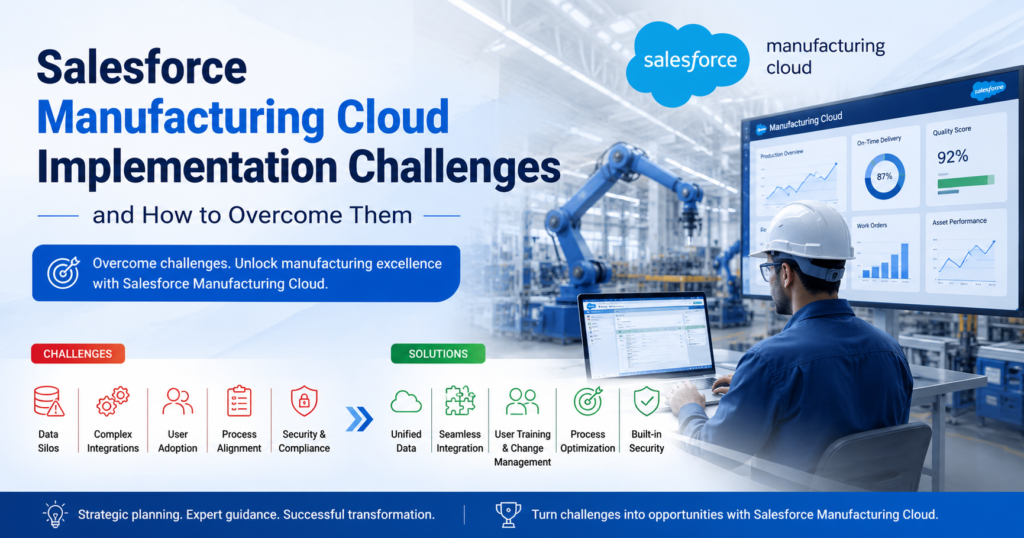
Manufacturers face real pressure today. Supply chains shift fast. Customers demand more visibility. Margins keep shrinking. Many companies turn to Salesforce Manufacturing Cloud to solve these problems. But the path to a working system is not always smooth.
This looks at the real implementation challenges manufacturers face. It also explains practical ways to fix them. The goal is simple: help technical teams and business leaders plan a project that actually works.
What Is Salesforce Manufacturing Cloud
Salesforce Manufacturing Cloud connects sales, operations, and forecasting in one platform. It combines Sales Cloud features with tools built for manufacturers. This includes account-based forecasting, sales agreements, and demand planning.
The platform gives manufacturers a single view of every account. Sales teams see contracts, order history, and forecasts together. Operations teams see the same data in real time. This reduces guesswork and improves planning accuracy.
Many companies now describe their broader rollout as Salesforce Manufacturing Cloud Solutions. This term covers the platform itself plus the customization, integration, and process changes needed to make it work for a specific manufacturer.
Why Manufacturers Choose Salesforce Manufacturing Cloud Solutions
Manufacturers pick this platform for a few clear reasons:
- It connects sales data with production data.
- It replaces spreadsheets with real-time forecasts.
- It gives sales reps a clear picture of contract terms and run-rate deals.
- It supports both direct and channel sales models.
- It works with existing ERP systems through APIs.
These benefits sound simple. But getting there requires careful planning. Many projects hit trouble along the way.
Common Salesforce Manufacturing Cloud Implementation Challenges
1. Data Migration Complexity
Manufacturers often store data across many old systems. Some data sits in ERP platforms. Some sits in spreadsheets. Some sits in systems nobody remembers building.
Moving this data into Salesforce Manufacturing Cloud takes real effort. Field mapping errors are common. Duplicate records cause confusion. Missing historical data breaks forecast accuracy.
Research on CRM projects backs this up. Studies show that half of failed CRM rollouts trace back to poor data quality. Manufacturing environments carry even more risk, since production data often lives in multiple disconnected tools.
2. Integration With Legacy ERP Systems
Most manufacturers run mature ERP systems like SAP, Oracle, or Microsoft Dynamics. These systems handle inventory, production schedules, and financials. Salesforce Manufacturing Cloud needs to talk to these systems without breaking existing workflows.
Integration failures cause delays and rework. Common problems include:
- Mismatched data formats between systems.
- Real-time sync failures during high order volume.
- Broken workflows when ERP fields change without notice.
- Limited documentation on older, customized ERP instances.
3. Low User Adoption
A new platform only works if people use it. Sales reps and account managers sometimes resist new tools, especially if the old system felt familiar.
Industry data shows that people-related issues cause the majority of CRM failures. One analysis found that over 60% of failures link back to training gaps, resistance to change, and lack of internal champions. Technology issues account for a much smaller share, often near 10%.
This pattern applies directly to Salesforce Manufacturing Cloud. The tool can be technically perfect. It still fails if reps do not log activity, update forecasts, or trust the data.
4. Poor Planning and Unclear Objectives
Some manufacturers start implementation without a clear target. They want “better visibility” or “improved forecasting” without defining what success looks like.
Vague goals lead to feature creep. Teams add fields, automations, and custom objects without a clear reason. This slows the project and confuses users later.
5. Customization Overload
Salesforce allows deep customization. This flexibility becomes a trap for many manufacturers. Teams build custom fields for every edge case. They add validation rules for rare scenarios. They create automation for one-time requests.
Over time, the system becomes hard to maintain. Every Salesforce update risks breaking something. New employees struggle to understand a heavily customized org.
6. Change Management Resistance
Manufacturing teams often work with long-standing processes. Some processes go back decades. Asking staff to change how they log sales agreements or track forecasts meets resistance.
Leaders sometimes underestimate this resistance. They assume training alone will fix adoption problems. Training helps, but it does not replace clear communication about why the change matters.
7. Skill Gaps in Technical Teams
Salesforce Manufacturing Cloud uses a specific data model. It includes objects like sales agreements, forecasts, and account manager targets. Teams without Salesforce experience often misconfigure these objects.
Skill gaps also show up in integration work. Building stable APIs between Salesforce and ERP systems needs experienced developers. Without this skill, integrations break under real-world data volume.
Key Statistics on Implementation Failure
The numbers around CRM and platform implementation projects are worth reviewing:
- Industry research places CRM implementation failure rates between 30% and 70%, depending on how failure gets measured.
- One 2025 study found that 55% of CRM projects fail to meet their original goals.
- Over 60% of failures trace back to people-related issues like training gaps and resistance to change.
- Only about 10% of failures come from pure technology problems.
- Budget overruns average between 30% and 50% above the original plan.
- Roughly half of organizations report no clear internal champion driving CRM adoption.
These numbers apply broadly to CRM projects, and manufacturing implementations follow similar patterns. The lesson is clear. Most failures come from planning and people problems, not software limits.
How to Overcome Salesforce Manufacturing Cloud Implementation Challenges
1. Build a Clear Implementation Roadmap
Start with specific, measurable goals. Define what “success” looks like before writing a single line of configuration.
A strong roadmap includes:
- A list of business problems the platform must solve.
- Clear owners for each phase of the project.
- Defined milestones with realistic timelines.
- A rollback plan in case something breaks.
2. Prioritize Data Quality Before Migration
Clean data before moving it. This step saves time later and prevents forecast errors.
Steps worth taking:
- Remove duplicate accounts and contacts.
- Standardize product and pricing data across systems.
- Validate historical sales agreement data before import.
- Run test migrations on small data sets first.
3. Choose the Right Integration Approach
Pick an integration method that matches your ERP system’s capacity. Real-time sync works well for high-volume manufacturers. Batch sync may work better for smaller operations with lower data volume.
Best practices include:
- Document every integration point before building it.
- Use middleware tools like MuleSoft for complex ERP connections.
- Test integrations under peak order volume, not just normal loads.
- Build error alerts so broken syncs get caught fast.
4. Invest in Training and Change Management
Training needs to go beyond a single onboarding session. Manufacturers get better results with ongoing, role-specific training.
Effective approaches include:
- Short weekly training sessions during the first three months.
- Role-based guides for sales reps, account managers, and operations staff.
- Internal champions who answer questions and model good habits.
- Clear communication about why the new process matters.
5. Work With Certified Salesforce Partners
Manufacturing Cloud has a specific data model that differs from standard Sales Cloud. Certified partners bring experience with sales agreements, forecasting objects, and manufacturing-specific automation.
A good partner should:
- Show past manufacturing-specific project experience.
- Explain their approach to data migration and testing.
- Offer post-launch support, not just go-live help.
- Provide a clear, documented configuration plan.
6. Start With a Phased Rollout
Avoid a single “big bang” launch. Phased rollouts reduce risk and give teams time to adjust.
A typical phased approach looks like this:
- Launch core sales agreement and account features first.
- Add forecasting tools once the team trusts the base system.
- Connect ERP integrations after core workflows stabilize.
- Roll out advanced automation last, once adoption is strong.
Real-World Example
A mid-sized industrial parts manufacturer moved from spreadsheets to Salesforce Manufacturing Cloud Solutions. The first attempt failed. The team tried to launch every feature at once, including full ERP integration.
Sales reps found the new system confusing. Forecast data did not match production numbers. Adoption stayed below 30% after three months.
The company restarted with a phased plan. They launched sales agreements first. They trained reps weekly for six weeks. They added ERP integration only after adoption crossed 70%. Within a year, forecast accuracy improved by double digits, and reps reported the new system saved real time each week.
Best Practices for Long-Term Success
Manufacturers that succeed long-term with Salesforce Manufacturing Cloud share common habits:
- They review adoption metrics monthly, not just at launch.
- They keep customization minimal and well-documented.
- They assign a dedicated Salesforce administrator, even part-time.
- They update training materials as the platform evolves.
- They treat implementation as an ongoing process, not a one-time project.
These habits keep the system useful long after the initial launch.
Conclusion
Salesforce Manufacturing Cloud gives manufacturers a strong platform for sales, forecasting, and account management. But technology alone does not guarantee success. Most failures come from data problems, poor planning, and weak user adoption, not the software itself.
Manufacturers that plan carefully, clean their data, train their teams, and roll out features in phases see far better results. Salesforce Manufacturing Cloud Solutions work best when treated as a long-term commitment, not a single project with a fixed end date.
Companies that follow this approach reduce risk and get real value from their investment. They turn a complex implementation into a system their teams actually use every day.